Why WordPress Web Development Is No Longer an Out-of-the-Box Solution
It’s not your fault your WordPress site is slow, outdated, and never gets updated. The system was designed for a different era—and your web agency may not be offering alternatives.
TLDR: Most New Zealand web development agencies default to WordPress because it’s the industry standard and the talent pool is deep. But that doesn’t make it the right solution for every business. The reality? Clients rarely update their own WordPress sites due to the learning curve, and change requests often involve multiple handoffs and extended timelines. We built SiteFlow as a different approach: fully agentic website management where you email changes and they get done in 30 minutes, no login required.
See the full WordPress vs SiteFlow comparison →
The WordPress Default
Walk into almost any web development agency in Auckland, Wellington, or Christchurch and ask what platform they use. The answer, nine times out of ten, will be WordPress.
It’s the safe choice. The default. The “industry standard” that everyone’s heard of.
But here’s the uncomfortable truth: WordPress hasn’t been a simple out-of-the-box solution for years. What started as a blogging tool has evolved into a complex ecosystem of plugins, themes, security considerations, and technical maintenance.
And yet, the agencies keep recommending it. Why?
Why Agencies Default to WordPress
Reason 1: Deep Talent Pool
Most New Zealand web development firms have built their operations around WordPress. Their developers know PHP. Their project managers understand the plugin ecosystem. Their hosting is optimised for it. They’ve invested years in mastering a platform that, while aging, is universally understood.
Offering alternatives would require retraining staff, changing infrastructure, and educating clients about newer approaches. That’s a significant investment many agencies aren’t ready to make.
Reason 2: The Skills Are Everywhere
WordPress skills are widespread—which means agencies can scale teams up and down as needed. For project work with fluctuating demand, this flexibility is valuable.
However, this abundance of WordPress skills can come with trade-offs. When demand exceeds local capacity, work may be distributed to remote team members working in different time zones. The coordination overhead—briefings, reviews, revisions—can extend simple changes into multi-day or multi-week timelines.
Reason 3: The Promise of “Client Control”
This is perhaps the most well-intentioned part of the WordPress pitch. Agencies genuinely want clients to feel empowered: “We’ll build you a website, and then you can update it yourself through the WordPress dashboard. You’ll have control!”
The intention is good. The reality, unfortunately, is different.
What Actually Happens After Handover
We’ve talked to hundreds of New Zealand business owners. Here’s the typical pattern:
Month 1: The agency provides WordPress training. The client feels optimistic.
Month 2-3: The client logs in a few times. Changes take longer than expected. The interface feels foreign. They’re worried about breaking something public-facing.
Month 4-12: The login credentials gather dust. The website grows stale. That “news” section hasn’t seen an update since launch day.
Year 2: The client emails the agency: “Can you update our hours?” The request enters a queue. Days or weeks pass. Eventually, the change is made—often accompanied by an invoice.
This cycle repeats. What was sold as “easy self-management” becomes an ongoing dependency.
Compare WordPress vs SiteFlow change turnaround times →
Why the DIY Promise Falls Short
It’s not because business owners are technically incapable. It’s because WordPress demands more attention than most have to give:
The Interface Isn’t As Intuitive As Claimed
The WordPress dashboard has improved, but it remains complex for casual users. Posts versus Pages. The Block Editor. Customiser settings. Plugin menus scattered throughout. The average business owner has a business to run—they shouldn’t need to become a CMS specialist.
The Anxiety of Breaking Things
WordPress sites can be fragile. Update a plugin, and something stops working. Change a setting, and the layout shifts unexpectedly. For non-technical users, every edit carries the fear of publicly breaking their website.
Competing Priorities
Website updates are rarely urgent until they are. Business owners face daily demands from customers, staff, suppliers, and operations. Learning the WordPress dashboard keeps sliding down the to-do list because there are always more pressing matters.
And that’s completely reasonable. Running a business is demanding enough without adding “part-time web developer” to the role.
The Hidden Complexity
When agencies pitch WordPress, they emphasise flexibility. What’s often understated are the ongoing requirements:
- Premium plugins for functionality that seems basic
- Security measures to protect against vulnerabilities
- Performance optimisation because shared hosting struggles with WordPress
- Regular updates to keep everything compatible
- Backup systems because things do break
By the second year, the “affordable” website often costs more in maintenance than expected.
See the full cost comparison: WordPress vs SiteFlow →
The Remote Development Reality
When local agencies face capacity constraints, work often extends to remote developers working in different time zones. This isn’t inherently problematic—skilled developers exist everywhere—but it introduces coordination challenges.
A simple change request might travel through multiple handoffs: brief, development, review, revision, final approval. Each transition adds time. What should be a quick update can stretch across days or weeks.
There’s also the matter of local context. Remote teams may not be familiar with New Zealand’s specific design sensibilities—clean, understated aesthetics that prioritise usability over flashiness. They might not understand local business customs, regional differences between Auckland and Christchurch markets, or the specific integrations NZ businesses commonly need (Xero, local payment gateways, NZ Post). These details matter when building a website that genuinely connects with local audiences.
WordPress vs SiteFlow: At a Glance
Here’s how the two approaches compare for New Zealand businesses:
| Feature | WordPress | SiteFlow |
|---|---|---|
| Page Load Speed | 2-5 seconds | Under 1 second |
| Security | Regular vulnerabilities, requires monitoring | No database, no attack surface |
| Making Changes | Complex dashboard, training needed | Simple email, no training |
| Change Turnaround | Days to weeks | ~30 minutes |
| SEO Management | Manual plugins, ongoing effort | Fully automated |
| Hosting & Maintenance | $20-50/month + maintenance costs | Included in plan |
| Updates | Constant plugin/theme updates required | Zero maintenance needed |
View the detailed feature comparison →
How SiteFlow Handles Updates: The 30-Minute Workflow
The biggest difference between WordPress and SiteFlow is how updates happen. Here’s the SiteFlow process:
Step 1: You Email (0 min) Send your change request in plain English. No login, no dashboard, no training needed.
Step 2: AI Builds (~5 min) Our AI processes your request, writes the code changes, and prepares the update.
Step 3: Human Review (~20 min) Our New Zealand-based team reviews the changes for quality and accuracy.
Step 4: Live (~30 min total) Your changes are published. Your website is updated. Done.
Compare this to the typical WordPress workflow: login, navigate the dashboard, find the right page, make the edit, preview, realise something broke, contact your developer, wait for a fix…
See the full comparison of update workflows →
See It In Action: The 30-Minute Update Process
You Email
Send your change request in plain English
0 minAI Builds
Our AI writes the code and creates the changes
~5 minWe Review
Our team checks quality before it goes live
~20 minLive
Changes are published and your site is updated
~30 min totalA Different Approach: SiteFlow
After observing these patterns repeatedly, we asked: What if websites worked differently?
What if instead of asking business owners to become CMS operators, we made updates as simple as sending an email?
What if changes happened in minutes instead of days?
What if there were no plugins to maintain, no security patches to worry about, and no training required?
That’s why we built SiteFlow—a fully managed website approach designed for New Zealand businesses who want their website to work for them, not create more work.
How SiteFlow Works
Instead of: Login credentials and CMS training
SiteFlow: An email address. Send your changes there. Done.
Instead of: Navigating dashboards and hoping nothing breaks
SiteFlow: Write in plain English. “Add Sarah to our team page.” Our team handles the rest—usually within 30 minutes.
Instead of: Plugin updates and security monitoring
SiteFlow: Static architecture with no database, no plugins, nothing to exploit. Security built into the foundation.
Instead of: Requests entering queues and passing through multiple handoffs
SiteFlow: Local New Zealand team. One point of contact. Direct communication.
Instead of: Compromising on local design sensibilities
SiteFlow: Built with understanding of NZ business aesthetics—clean, professional, understated designs that resonate with local audiences.
Explore all SiteFlow features →
Who Is SiteFlow For?
SiteFlow isn’t for everyone. If you have technical staff who enjoy managing WordPress, that may serve you well.
But if you’re a New Zealand business owner who:
- Would rather focus on your business than learn a CMS
- Wants website updates handled quickly without hassle
- Prefers predictable costs without surprise maintenance
- Values having a local team who understands the NZ market
- Appreciates clean, fast, secure websites without the overhead
…then SiteFlow was designed with you in mind.
Take the quiz: Is SiteFlow right for your business? →
The Bottom Line
WordPress isn’t bad—it’s simply one approach among many, and it places significant operational burden on the business owner. The agencies recommending it aren’t acting in bad faith—they’re working with established tools and familiar processes.
But the model has gaps. The promise of client self-management largely goes unfulfilled. Simple changes become extended exercises in coordination. Security and maintenance remain ongoing concerns.
There’s another way to approach this. We built it, and we’re here if you’d like to explore it.
Ready to See the Difference?
See the complete WordPress vs SiteFlow comparison →
Book a free, no-obligation conversation →
Working with businesses across Auckland, Wellington, Christchurch, and throughout New Zealand who are ready for a simpler way to manage their online presence.
Tags
About the Author

HighFlyer Team
The HighFlyer Team builds modern, secure, and hassle-free websites for New Zealand businesses. We're passionate about helping Kiwi companies establish a strong online presence without the technical headaches.
Recent Posts
Categories
You May Also Like
AI Web Development is the AutoTune Moment in Tech
AI can build a website in minutes, but it can't understand what your business actually needs. Learn why the real...
Read More
Text Reload is Now a Certified Xero App Partner
We're thrilled to announce that Text Reload has been certified as an official Xero App Partner. Here's what this means...
Read More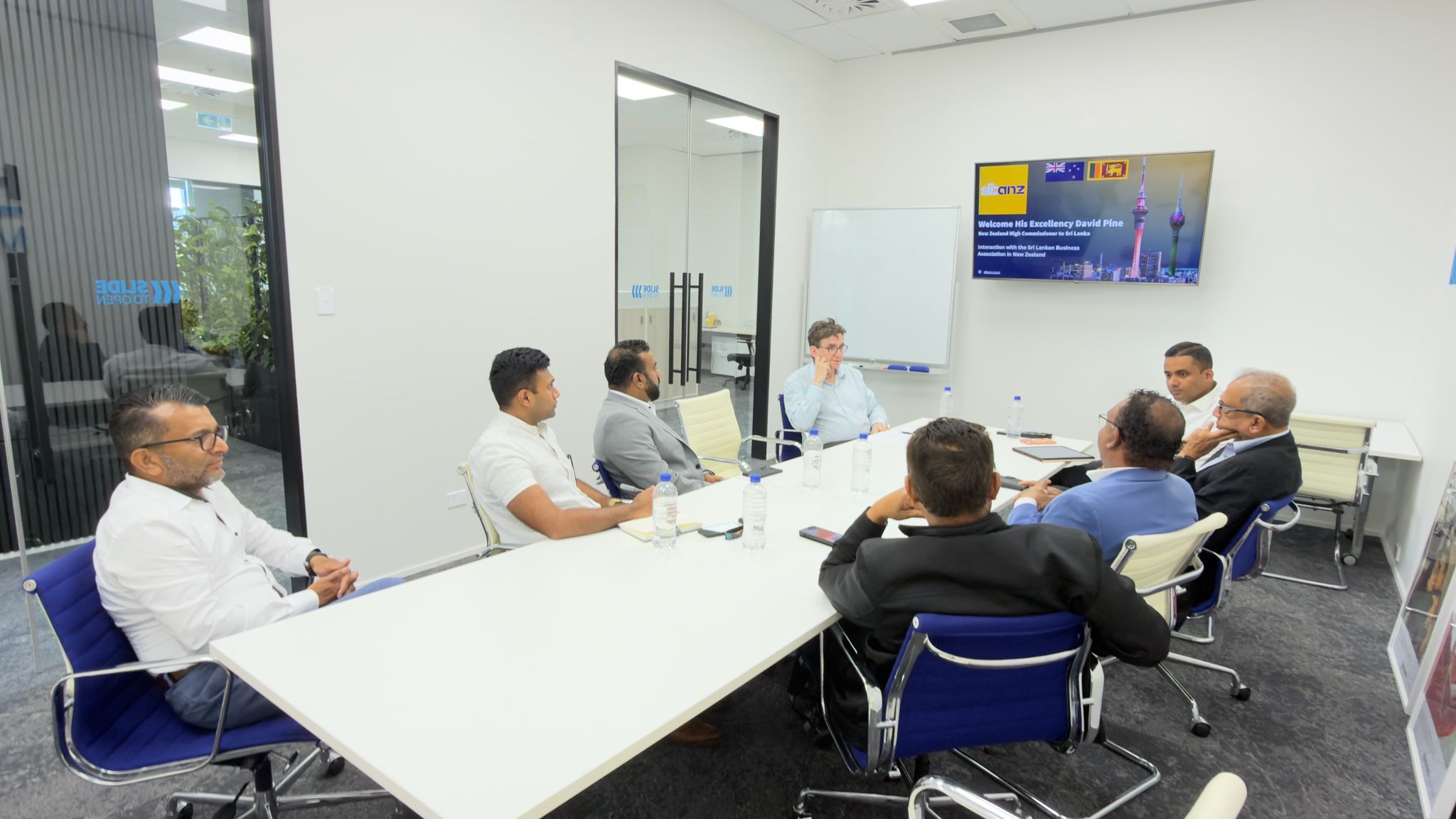
HighFlyer Meets H.E. David Pine, High Commissioner of New Zealand to Sri Lanka
HighFlyer meets New Zealand High Commissioner to Sri Lanka to discuss technology partnership opportunities.
Read More