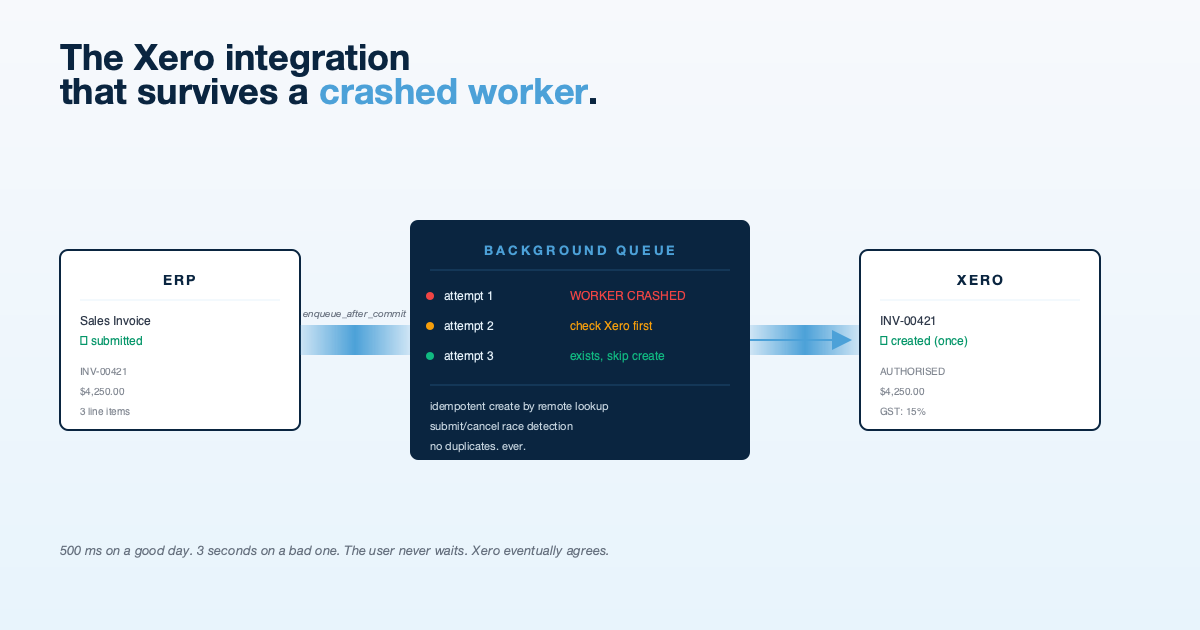
The Xero Integration That Survives a Crashed Worker
Most Xero integration tutorials teach you how to authenticate, push an invoice, and celebrate. Production teaches you about the fifty things that happen between “send” and “success”: worker crashes, cancelled documents mid-push, duplicate pushes after restart, line items missing tax codes, currency mismatches. We wrote one that survives them.
TL;DR: A production Xero integration needs five things that the quickstart will not give you: non-blocking queued sync, idempotent create-by-lookup, submit/cancel race detection, line-level tax resolution with fallback chains, and a proper recovery path for stuck documents. We built all five into the connector that pushes invoices from NexWave to Xero. This is the story.
What “Just Push an Invoice” Actually Means
The naïve Xero integration is five lines of code:
def on_invoice_submit(invoice):
    xero = get_xero_client()
    xero.invoices.create(map_invoice(invoice))
This works on a sunny afternoon with one worker, no traffic, and a freshly restarted system. Put it in production and you will hit, in order:
- Invoice submission becomes slow because every submit waits for Xero.
- The worker dies halfway through a create. The invoice is submitted locally, Xero never received it.
- The worker restarts, tries to push the same invoice again, and now there are two invoices in Xero.
- Someone cancels the invoice in the ERP while it is being pushed. Xero has the invoice; the ERP says it does not.
- A line item has no tax code resolved. The push fails. The user sees “something went wrong.”
Each of these is an engineering decision with consequences. Here is how we resolved them in nexwave_xero_connector, the app that syncs invoices from NexWave (an ERP for NZ/AU businesses) to Xero.
Decision 1: Background Queue, Not Inline
Customers submit invoices. Submissions must be fast. A Xero round trip is not fast, 500 ms on a good day, 3 seconds when you hit their rate limit, 30 seconds when their API is having a bad afternoon.
The fix is obvious but the timing of the enqueue is not. We use Frappe’s enqueue_after_commit, which only queues the job if the outer database transaction commits. If the user’s invoice submit fails for any reason, the Xero push is never queued, and we do not push an invoice that does not exist.
The implementation is:
def on_submit(doc, method=None):
    if not should_push_to_xero(doc):
        return
    frappe.enqueue_after_commit(
        "nexwave_xero_connector.api.sync.push_invoice",
        doc_name=doc.name,
        queue="default",
        timeout=300,
    )
The user sees “submitted” within milliseconds. The push to Xero happens on a background worker. The worker can die, retry, or be replaced without affecting the user experience.
Decision 2: Idempotent by Lookup, Not by Local State
The naïve retry model stores a flag on the local invoice (pushed_to_xero=1) and skips the push if it is set. This fails the moment a worker dies after creating the invoice in Xero but before updating the local flag. The next retry creates a duplicate.
Correct idempotency is to ask Xero “do you already have an invoice with this number?” before creating a new one. If the invoice exists, mark it as synced and move on. If not, create it.
def push_invoice(doc_name):
    doc = frappe.get_doc("Sales Invoice", doc_name)
    xero = get_xero_client()

    existing = xero.invoices.get_by_number(doc.name)
    if existing:
        mark_synced(doc, existing.id)
        return

    xero_invoice = map_invoice(doc)
    created = xero.invoices.create(xero_invoice)
    mark_synced(doc, created.id)
The source of truth for “has this been pushed” is Xero, not our local state. Workers can crash at any point. Restart, re-run, no duplicates.
Decision 3: Re-check docstatus After the API Call
There is a race we hit in production: a user submits an invoice, the background worker picks it up, the worker calls Xero and creates the invoice, and while the Xero call was in flight, a second user cancels the invoice locally.
Now the invoice is live in Xero but cancelled in the ERP. The next accountant who opens Xero is going to be confused.
The fix is to re-check the local docstatus after the Xero API returns, and if the document has been cancelled, void the Xero invoice:
def push_invoice(doc_name):
    doc = frappe.get_doc("Sales Invoice", doc_name)
    xero = get_xero_client()

    existing = xero.invoices.get_by_number(doc.name)
    if existing:
        mark_synced(doc, existing.id)
        return

    created = xero.invoices.create(map_invoice(doc))

    # Race check: did this get cancelled while we were pushing?
    doc.reload()
    if doc.docstatus == 2:
        xero.invoices.void(created.id)
        log_sync(doc, "voided", "document cancelled during push")
        return

    mark_synced(doc, created.id)
This does not eliminate the race. The invoice does exist in Xero for the duration of the push. But it closes within seconds instead of sitting there until someone notices.
Decision 4: Line-Level Tax Resolution With a Fallback Chain
Tax codes on Xero are strict. Every line needs a tax code, and the code has to exist in the user’s Xero organisation. Getting this wrong means the push fails, the user sees an error they cannot act on, and we have a support ticket.
Our tax resolution for each line follows a specific fallback chain:
- Line-level Item Tax Template (if the line has one)
- Document-level Taxes and Charges Template (applied to every line)
- Item master’s default tax template
- Company default tax template
Each step maps to a Xero tax code via a lookup table the user configured when setting up the integration. If all four fall through with no match, we fail the push with a specific error: “No tax mapping for item X. Map it in Xero Sync Settings.” That message is actionable.
The code looks roughly like:
def resolve_line_tax(line, doc, settings):
    candidates = [
        line.item_tax_template,
        doc.taxes_and_charges,
        get_item_default_tax(line.item_code, doc.company),
        get_company_default_tax(doc.company),
    ]
    for template in candidates:
        if template and template in settings.tax_mapping:
            return settings.tax_mapping[template]
    raise TaxMappingMissingError(line.item_code)
Shipping and freight are pushed as separate Xero line items with their own tax resolution. Credit notes allocate to the original invoice via return_against. Multi-currency documents use net_rate rather than rate so that tax-exclusive amounts are correct.
Decision 5: A Recovery Path for Stuck Documents
Every sync has three states in our log: queued, success, failed. A fourth state exists implicitly: queued but the worker is gone. This happens if a worker OOMs, gets restarted mid-push, or if the queue is flushed.
Documents in queued state that are older than a threshold (30 minutes by default) are surfaced in the Xero Sync Log with a clear “stuck, retry?” affordance. Accountants can trigger a manual retry from the UI. The retry runs the same push_invoice function, which is idempotent by lookup, so retrying a document that actually did succeed quietly marks it as synced.
Failed documents get a manual retry button too, because sometimes the failure reason is “Xero was having an outage” and the fix is to try again an hour later.
There is also an orphan check: if the ERP shows a document as cancelled but the sync log shows it was successfully pushed to Xero, and Xero still has it as active, that is an orphan. The UI warns the accountant and lets them void the Xero invoice with one click.
What We Did Not Bother With
- Real-time streaming sync. Xero pushes are always eventually-consistent. We chose batch-correctness over latency. For credit control purposes, having the invoice in Xero within 30 seconds is fine.
- Complex retry backoff. Frappe’s queue has exponential backoff built in. We did not add a second layer.
- A separate audit trail service. The Xero Sync Log doctype is the audit trail. Every attempt, success, failure, void, and retry is a row. Accountants can read it.
- Webhook-based sync from Xero back to the ERP. That is a different problem and we did not conflate it with the outbound push.
Scope discipline matters. The connector does one thing: push invoices, credit notes, and purchase invoices from NexWave to Xero. It does it reliably. That is enough.
The Other Integration Lesson: OAuth2 Tenancy
Xero’s OAuth2 flow involves selecting a tenant (a Xero organisation) after authentication. Users with multiple Xero orgs need to pick which one this integration is for. We bridge Frappe’s Connected App framework to Xero’s xero-python SDK with a wrapper that stores the selected tenant ID on the settings doc and passes it through to every API call.
This is the kind of detail that is not technically interesting but consumed two days of our time because neither side’s documentation quite explained the other. If you are doing Xero integrations and are using any framework that has its own OAuth scaffolding, expect to write the glue yourself.
What “Production-Ready” Actually Means
Reading back through this post, the underlying pattern is consistent: every decision above assumes that something will go wrong. The worker will crash. The user will cancel. The network will drop. The tax mapping will be missing. The push will be duplicated.
The integration is not “reliable” because we wrote defensive code. It is reliable because we chose data structures and lookups that make the wrong outcomes impossible. Idempotency by remote lookup means duplicates cannot happen. Re-checking docstatus after the API call means silent desync is impossible. Queued sync means a slow Xero does not slow the user down.
If you are building an integration and it only works when everything goes right, it is not production-ready. It is a demo that has not met production yet.
If You Need This Built
HighFlyer builds systems integrations for New Zealand businesses. Xero, Shopify, WooCommerce, Stripe, Akahu, bank feeds, EDI, payment gateways. The ones we build are the ones you do not have to think about after they ship.
Tags
About the Author

Imesha Sudasingha
Head of Engineering
Imesha is the Head of Engineering at HighFlyer and a member of the Apache Software Foundation with 10+ years of experience across integration, cloud, and AI. He built the NexWave Xero connector described in this post.
Recent Posts
Categories
You May Also Like
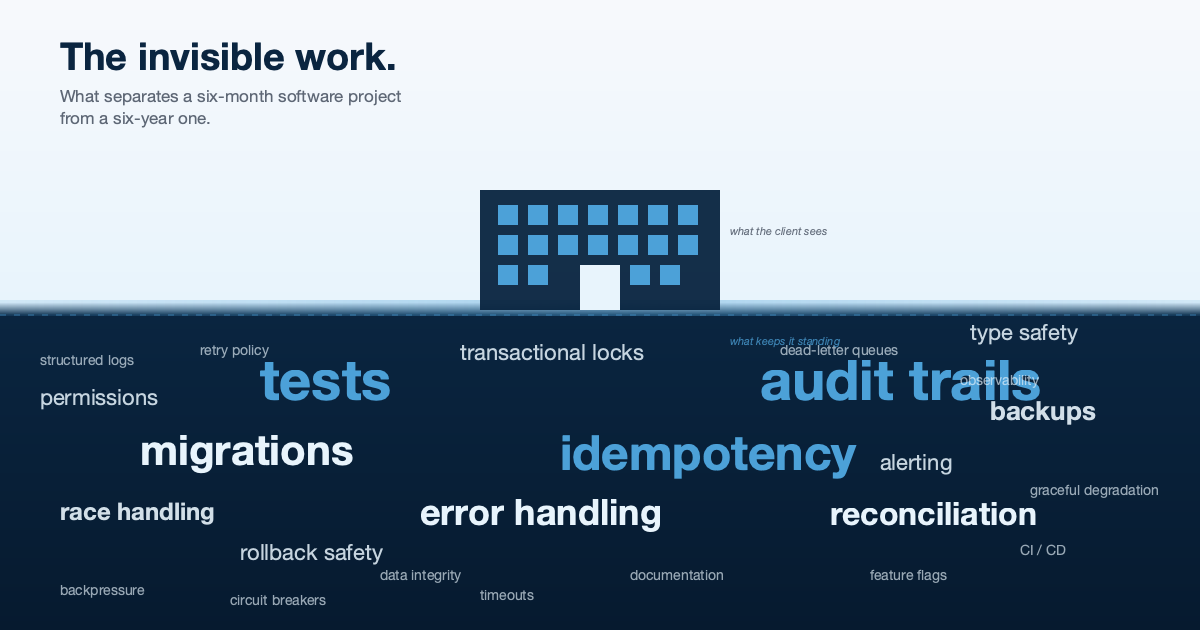
The Invisible Work: What Separates a Six-Month Software Project From a Six-Year One
A builder does not get credit for the foundations. Neither does a software team. But if you asked either to...
Read More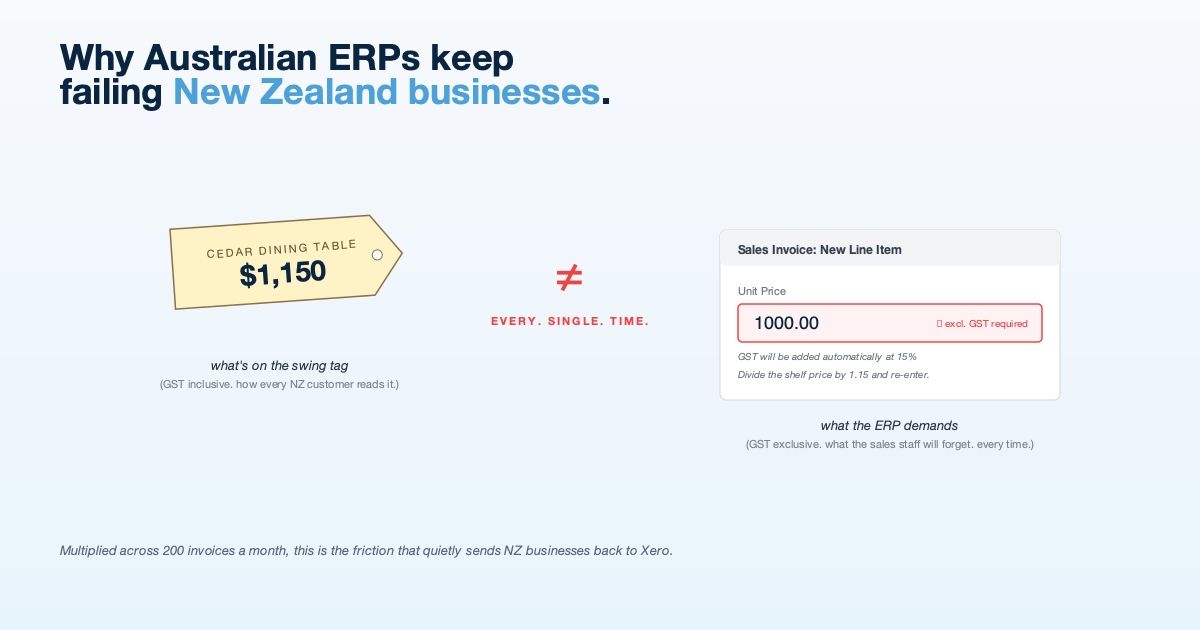
Why Australian ERPs Keep Failing New Zealand Businesses
NZ businesses think and invoice in GST-inclusive terms. Most cloud ERPs do not. The mismatch creates friction that shows up...
Read More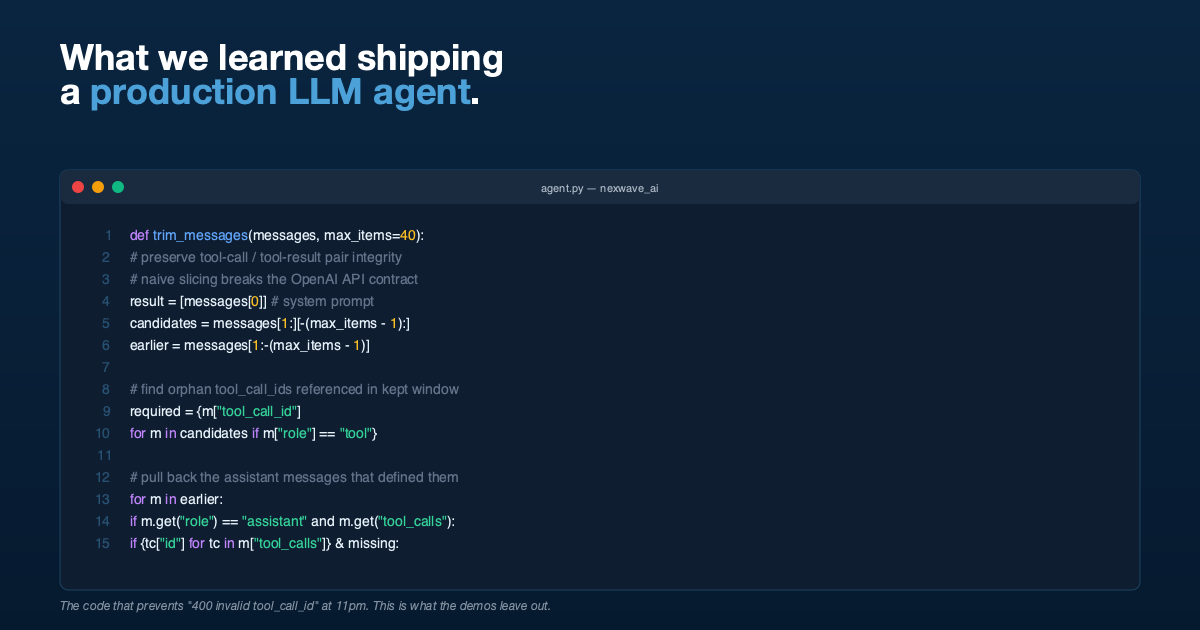
What We Learned Building a Production LLM Agent That Writes Its Own ERP Queries
Tool-call integrity during history trimming, delegated arithmetic, permission pass-through, and why demos lie. Lessons from shipping an agent into production.
Read More