What We Learned Putting an AI Assistant Inside a Live Business System
Most AI demos work. That is not surprising; they were built to work. The interesting question is what happens when you take an AI assistant out of a demo and put it inside a live business system that real teams rely on for invoicing, reporting, and decisions. The honest answer is that five different things break, and you have to fix each one specifically.
We built NexWave AI, an AI assistant embedded inside our ERP that lets staff ask questions in plain English (“what’s our overdue AR?”, “show me the top 5 customers this quarter”, “has invoice SI-00456 been paid?”) and get answers backed by their live data. This post is about what we wish someone had told us before we started.
The short version. The demo loop you see in tutorials assumes a friendly user, short conversations, simple questions, and no permissions to worry about. Real users are not friendly to your design choices. They have long conversations, they ask the AI to do arithmetic that has to be exact, they ask about data they should not be allowed to see, they catch your AI provider on a bad day, and they rightly expect tables and charts rather than raw data. Get any of those five things wrong and the AI becomes an unreliable curiosity rather than a tool the team actually uses.
The Demo Loop Lies
The way most “build an AI agent” tutorials describe it:
- Tell the AI which tools (database queries, report calls, calculations) it is allowed to call.
- Run a loop: ask the AI; if it wants to use a tool, run that tool and feed the result back; otherwise return its answer.
- Done.
The tutorial works because nothing pushes on it. Put the same loop in front of a finance manager asking about overdue receivables on a quarter that has 600 invoices, against an ERP with thousands of users on different permission sets, talking to an AI provider that occasionally times out, and the loop above is a skeleton with about five missing organs.
Each of the next five sections is one of those organs.
Problem 1: Long Conversations Have to Be Trimmed Carefully
Every AI model has a maximum amount of conversation it can hold in its head at once. Long conversations exceed it. The naive fix is to keep the most recent N messages and throw away the older ones.
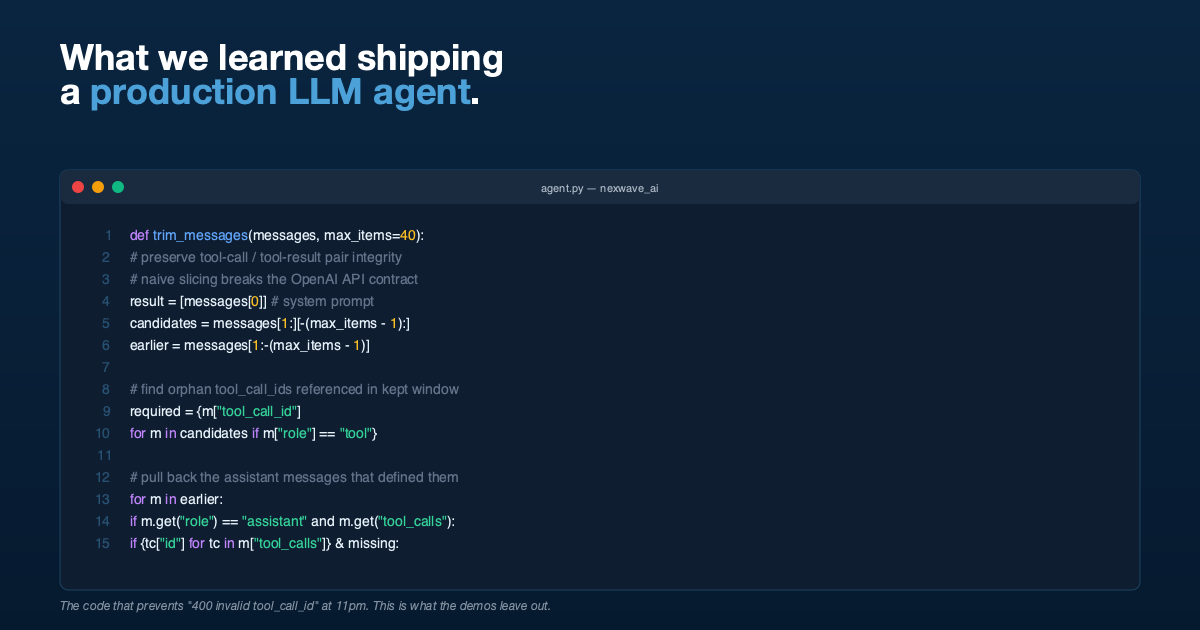
That works for a basic chatbot. It does not work for an AI assistant that calls tools. In tool-using conversations, the AI’s question to a tool and the tool’s answer back come as a pair. Cut between the two halves and the conversation becomes nonsense to the AI: it sees a tool answer with nothing it was answering to, and the next request to the AI provider fails with an error.
This sounds like a corner case. It is not. It triggers reliably the first time a user has a long, productive session. We have to walk through the recent messages, identify any tool answer whose matching question has been trimmed off, and pull that question back in. The trimmed conversation is then “trimmed correctly” rather than “trimmed in a way that broke it.”
The user-facing result of getting this right is simple: long conversations keep working. The user-facing result of getting it wrong is that after about twenty questions the AI assistant starts crashing.
Problem 2: The AI Is Not a Calculator
This one is the difference between “the AI is roughly right” and “the AI is exactly right.” Finance teams care about the difference.
Ask an AI model to sum a column of thirty numbers and it will produce an answer that is usually within a dollar or two of correct, occasionally further off. The model is producing the most likely sequence of digits, not adding the column. For a casual chat that is fine. For a finance team asking “what is our overdue AR?”, an answer that is off by a few dollars is the kind of mistake that costs the assistant its credibility on day one.
Our fix is structural. The AI is told, in its standing brief, never to do arithmetic in its head. Whenever it needs a sum, an average, a percentage, or a growth rate, it has to ask a small dedicated calculator tool that we provide. That calculator is tightly restricted (basic operations, parentheses, simple math functions, nothing more) so it cannot be tricked into running anything dangerous. And the reports the ERP returns already include their own totals where possible, so the AI is told to use those directly rather than re-summing them.
The result is that the maths is always right, because the AI is not the thing doing the maths. If you are about to put an AI in front of numbers that matter, this is not optional.
Problem 3: Make the AI Respect Your Existing Permissions
The most dangerous design choice in this entire project would have been to run the AI’s queries as a super-user. It would have been easier. We did not do it.
Why it is dangerous. The moment the AI runs as a super-user, you are responsible for building a second permission system on top: “is this user allowed to ask about that report?” That second system inevitably drifts from the first. Eventually somebody sees data they should not have seen, or somebody is blocked from data they should have, and you are debugging two permission models against each other.
Our assistant runs every action as the logged-in user, using the same permissions the ERP already applies when the user clicks through menus themselves. If a user is not allowed to see a particular sales invoice, the AI returns an empty result when asked about it. If a user cannot run the Profit and Loss Statement through the normal interface, neither can the AI when they ask. There is no second permission model to maintain, because there is no second permission model at all.
The side effect, which is also the right side effect, is that when the AI cannot answer a question because the user is not authorised, the explanation it gives is the same one the ERP would have given them anyway. They know what to do about it.
Problem 4: Errors Are Not Exceptional, They Are Normal
A real AI assistant in production has bad days. Five different kinds of bad day in fact, and each one deserves a specific, useful message rather than a generic “something went wrong.”
- The AI provider’s credentials are wrong or expired. The user sees: “AI authentication failed, please ask an administrator to check credentials.” Specific and actionable.
- The provider is rate-limited or temporarily unreachable. The user sees: “Service is temporarily unavailable, please try again.” Honest and useful.
- The conversation has grown so long that even after careful trimming it exceeds the model’s memory. The user is told to start a new conversation.
- A tool the AI tried to use raised an unexpected error. We log it for our engineers and let the AI either recover or report it cleanly to the user.
- Several tools have failed in quick succession. Rather than letting the AI keep trying (and quietly burning money on a runaway loop), after three consecutive failures we stop and say so clearly.
Every one of those was added because we hit it in real use. The default behaviour of an unguarded loop is either to crash and confuse the user, or to silently retry in the background while they stare at a “thinking” indicator for ninety seconds before giving up.
Problem 5: Users Do Not Want Raw Data
When the AI calls a report, the underlying answer is a chunk of structured data. Dumping that straight into the chat would be useless to a non-technical user.
We made three small conventions, and a chat interface that understands them, do the heavy lifting:
- Anything that looks like a table is rendered as a neat table.
- Anything that looks like chart data is rendered as a bar, line, pie, or donut chart, with the underlying numbers visible alongside so the user can read them too.
- Anything that names a document (a specific invoice, a specific customer, a specific report) is rendered as a clickable link that takes the user straight to that record in the ERP. They can verify the answer in one click.
This is not a fancy AI feature. It is careful instructions in the AI’s brief and a chat interface that knows how to read them. But it is the difference between an assistant that answers questions and one that just responds to them.
The Loop, In Plain Terms
After all five of the above are addressed, the assistant runs through a short, opinionated routine for every question:
- Trim the conversation safely, preserving question-and-answer pairs.
- Send the trimmed conversation to the AI, with the list of tools it is allowed to call.
- If the AI wants to call a tool, run that tool as the signed-in user, with their permissions and no others.
- Feed the result back to the AI and let it decide what to do next.
- Watch for each of the five known error types and respond to each one specifically.
- Cap the back-and-forth at ten rounds per question, and if three consecutive tool calls fail, stop and say so.
- Hand the final answer to the chat interface, which renders tables, charts, and document links.
There is nothing magical in there. The magic is in the discipline.
The Things That Turned Out Not to Matter
A few engineering details we worried about up front, and did not need to.
- The specific AI model. Once the tool descriptions are clear and the brief is well-written, several different models work. We deliberately left the door open to swap them without rewriting the assistant.
- Fancy prompting techniques. The back-and-forth between the AI and the tools already provides most of the “show your working” benefit that prompting tricks try to add. Adding more on top mostly produced longer, less useful answers.
- Vector databases. We did not need one. The AI can ask the ERP directly what fields a record has, what values are allowed, and which filters a report accepts. That is enough for almost every question users actually ask.
If your team is being sold a contract on the back of needing a particular model, a particular prompting style, or a vector database, ask hard questions. Most of the work is in the unglamorous parts above.
Takeaways
If you are about to put an AI assistant inside a live business system, the five things that decide whether it works are:
- Trim long conversations carefully, never crudely.
- Do not let the AI do arithmetic. Give it a real calculator.
- Run the AI’s actions as the logged-in user. Reuse the permissions you already have.
- Handle each kind of error with its own honest message, not a generic “something went wrong.”
- Render the AI’s answers as tables, charts, and clickable links. Not raw data.
Everything else is detail.
If You Need This Built
HighFlyer builds AI systems and custom software for New Zealand and Australian businesses. We are an Auckland-based technology company with a bias for getting the foundations right. If you have a business system that should be answering questions in plain English and currently is not, we are easy to reach.
See our custom software services, contact us, or read the NexWave AI case study.
Tags
About the Author

Imesha Sudasingha
Co-founder & CTO
Imesha is the Co-founder & CTO at HighFlyer and a member of the Apache Software Foundation with 10+ years of experience across integration, cloud, and AI. He led the engineering on NexWave AI, the AI assistant discussed in this post.
A monthly note for SME operators
On technology, AI, and digitalisation. One real story, two trends, and one quick win each issue.
Recent Posts
Categories
You May Also Like

When There Is No Straight Answer: How Agentic AI Solved a MacBook Sleep Panic
An older HighFlyer MacBook charged and worked normally after its battery was replaced—until the lid was closed. Four panic reports,...
Read More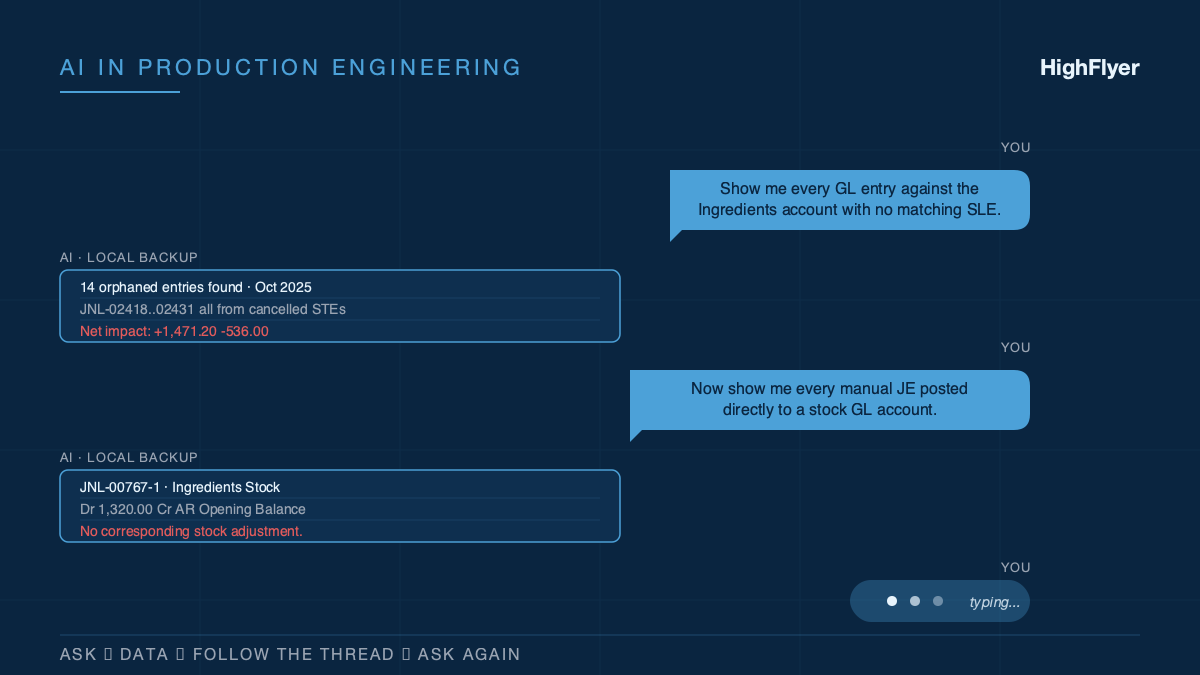
How We Actually Use AI on Real Customer Work
Eight months of unresolved accounting drift. 3,600 historical transactions. One working session to untangle it, because AI was sitting alongside...
Read More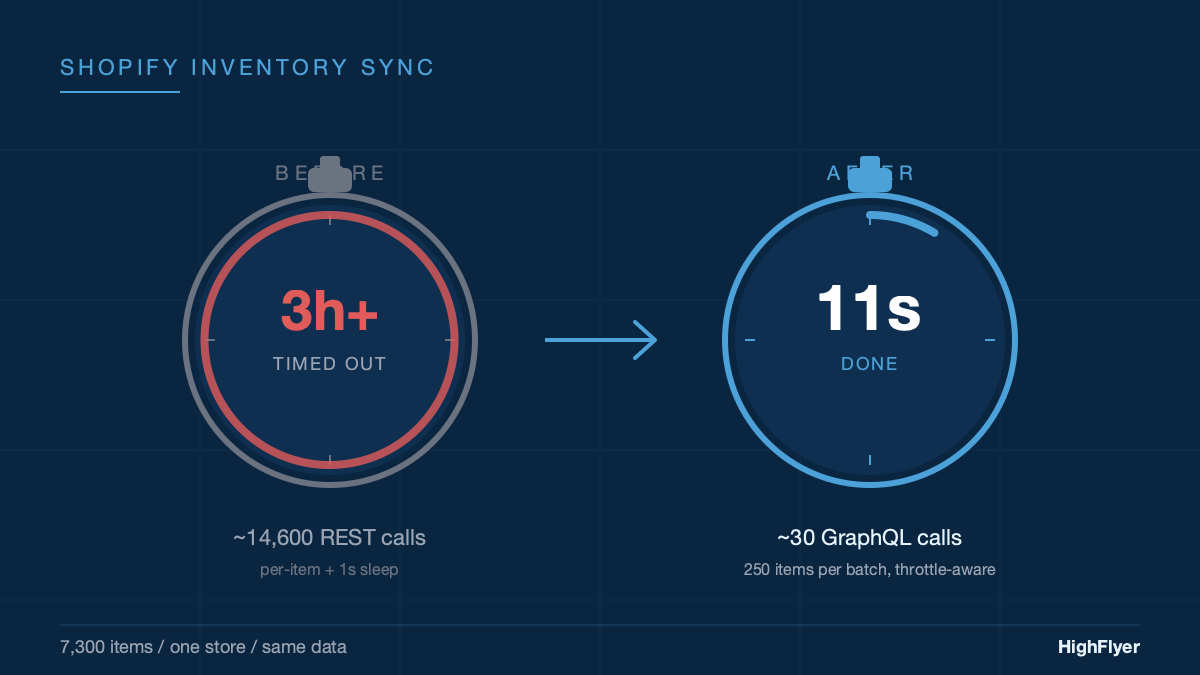
From 3 Hours to 11 Seconds: Fixing a Shopify Stock Sync That Kept Timing Out
We kept bumping the timeout. First to 60 minutes. Then to 3 hours. It still timed out. The timeout was...
Read More